Cancel Order
Learn about the different ways to cancel an order as a seller on p2.market.
As a seller, sometimes you may want to cancel an order. You have two options.
Manual Cancellation
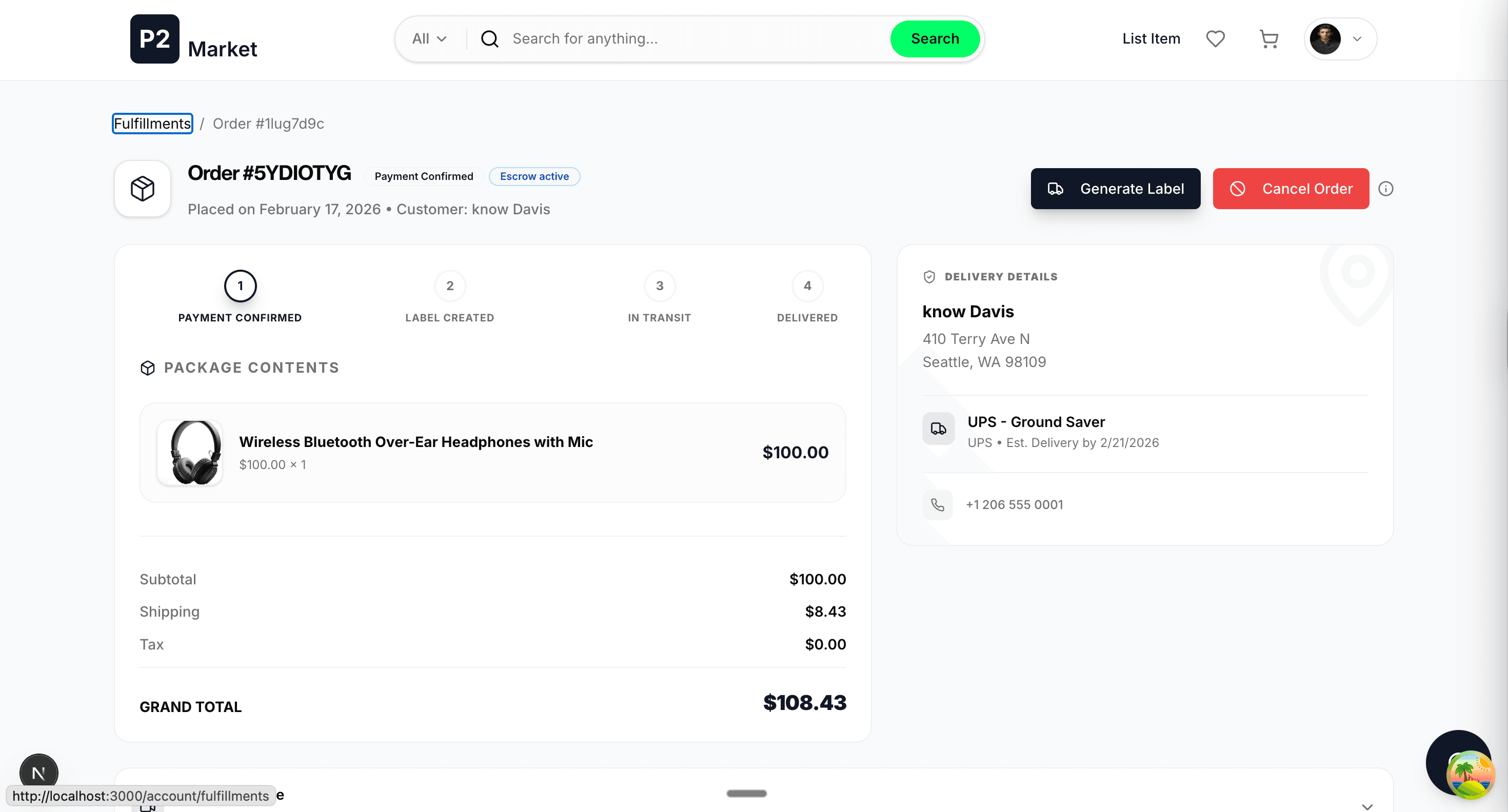
If you haven't generated a label and want to cancel an order (or receive a buyer request to cancel), you can easily do so using the cancel button on the fulfillment page. This will give the buyer a full refund, and you won't lose anything. However, please note that frequent cancellations may affect your trust score.
Automatic Cancellation
Scenario 1: Unprocessed Orders
If the order status is PAYMENT_CONFIRMED for more than 48 hours but the seller still has not generated the label, our automated bots will automatically cancel the order and refund the buyer in full.
Scenario 2: Delayed Shipments
If the seller has generated the label but the item is not shipped within 48 hours of label generation, our automated bots will also cancel the order and refund the buyer. We expect sellers to ship and the carrier to scan the item within 48 hours of label creation.
If as a seller your order status is Label Generated even after 24 hours of drop-off/pickup, please contact us or the carrier directly to avoid auto-cancellation.
What If You Generated a Label and the Buyer Asks for Cancellation?
To honor the request: Simply do not ship the package. Our automated system will detect the inactivity and cancel the order 48 hours after the label was created.