Cancel Order
Learn how to cancel an order as a buyer on p2.market.
Mistakes happen! At p2.market, we've made the cancellation process straightforward and fast.
The 1-Hour Grace Period
Once your order is confirmed, you have a 1-hour window to cancel it yourself for an immediate, full refund.
Note: Sellers also have the authority to cancel an order from their end. You will be notified instantly if a seller initiates a cancellation.
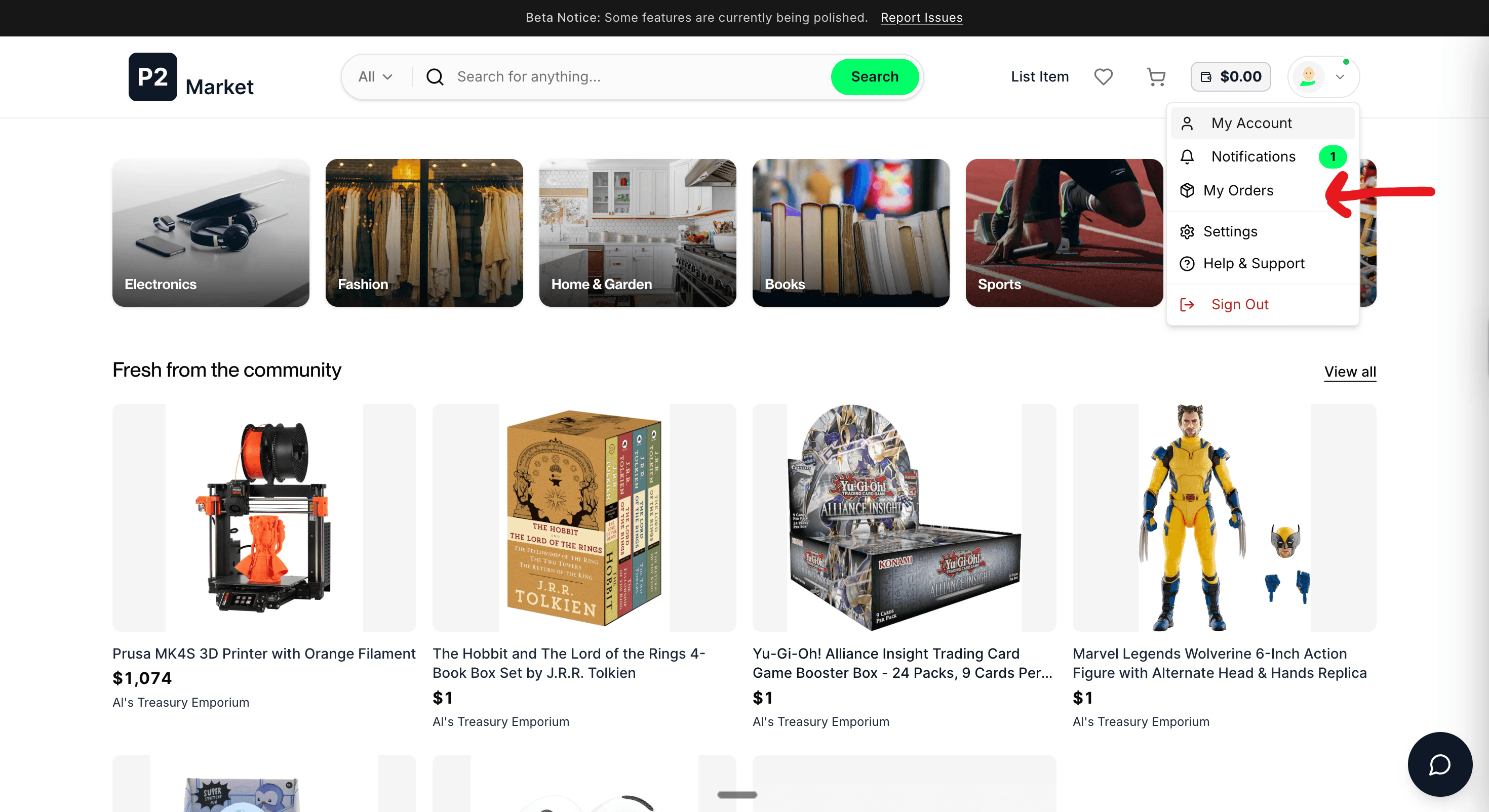
Step 1: Go to My Orders Page
Click on your profile pic and click on My Orders.
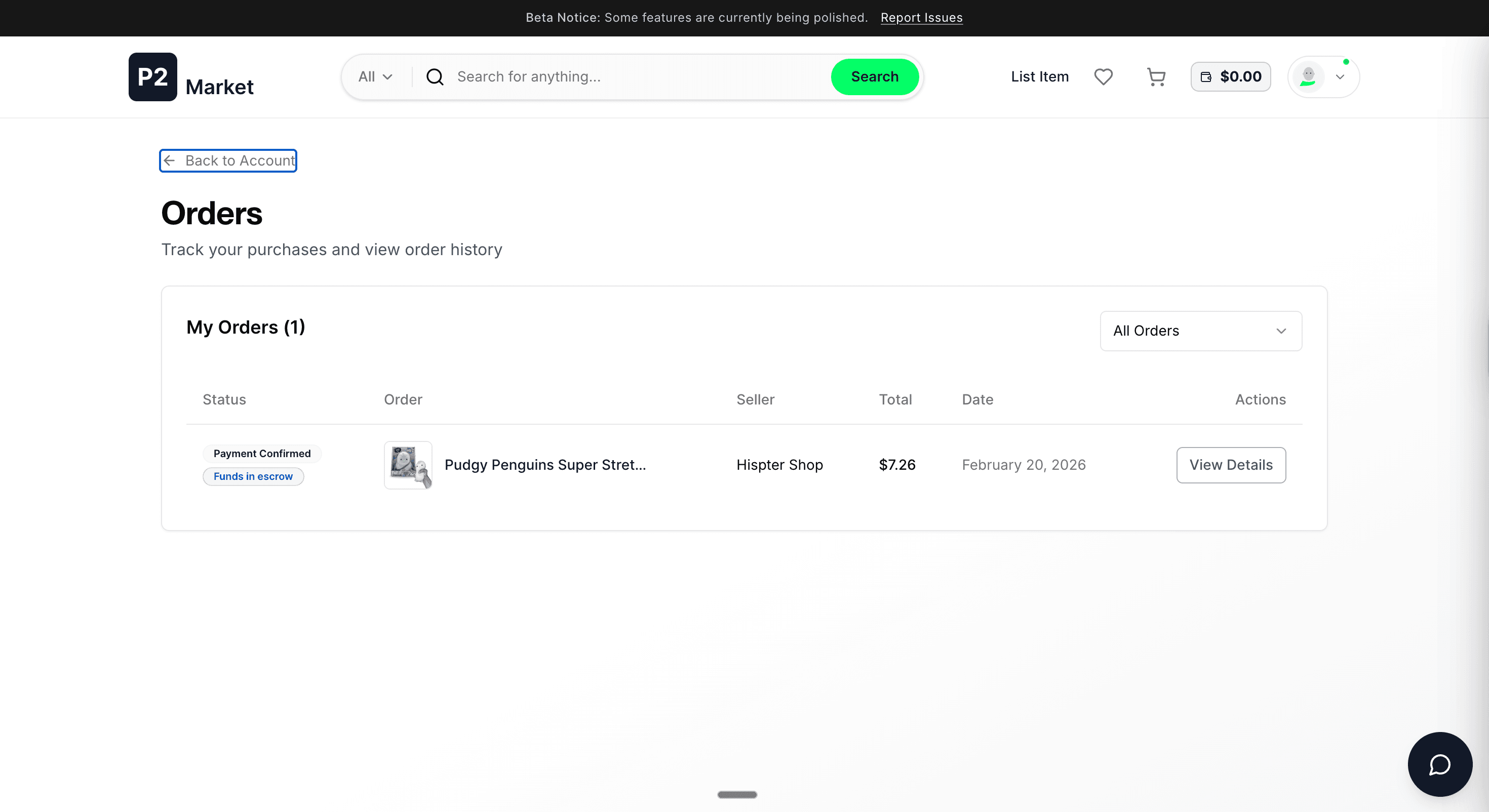
Step 2: Click View Details
On the orders page, click the View Details button for the order you want to cancel. Make sure the status is PAYMENT_CONFIRMED and Escrow Active on the left side.
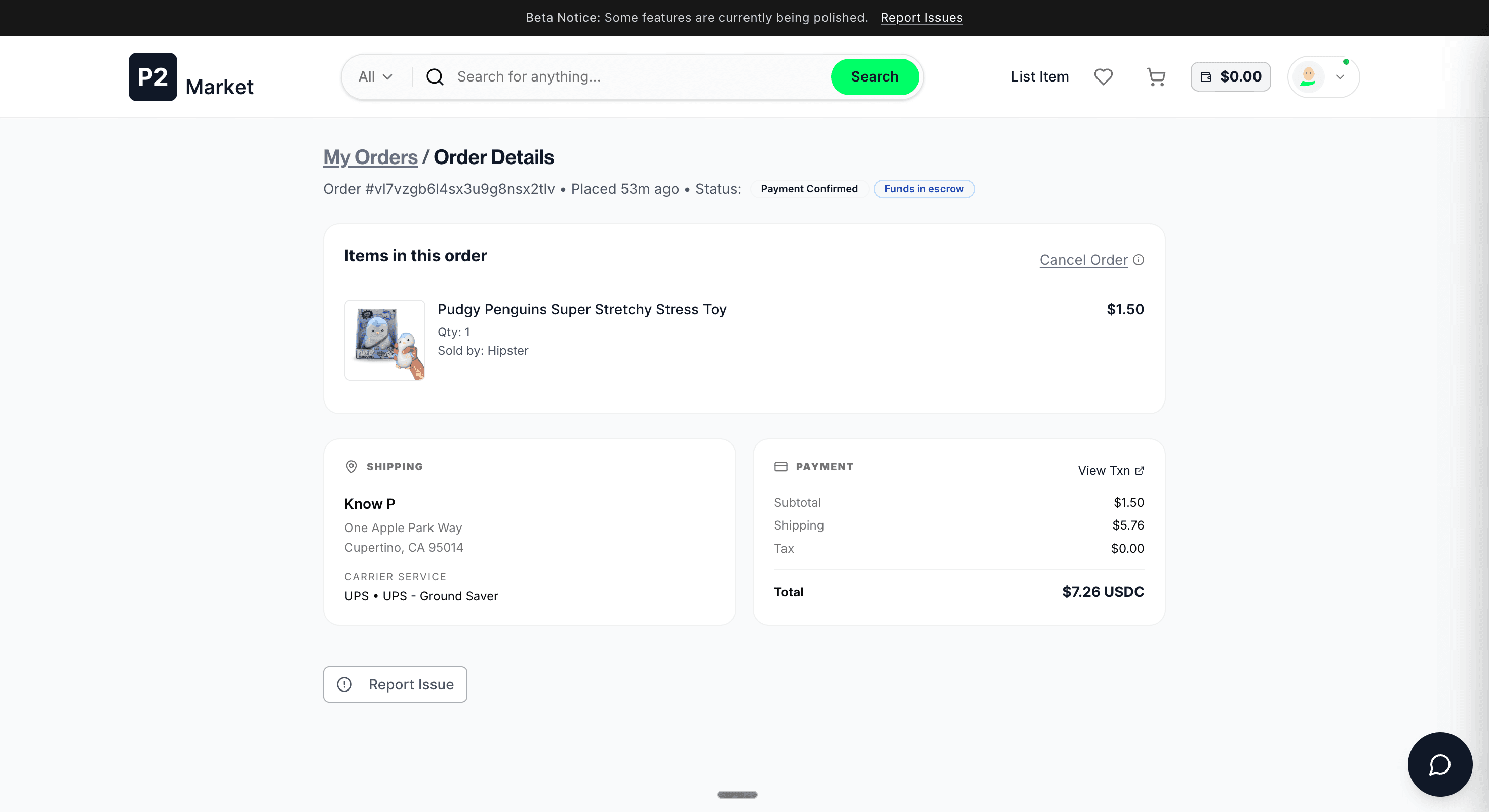
Step 3: Click Cancel Order
Click the Cancel Order button. You will be asked to select a reason for the cancellation. Once confirmed, your refund will be processed back to your wallet—typically within 1–5 minutes.
FAQs and Troubleshooting
"I don't see the Cancel Order button. What should I do?"
If the button is missing, your 1-hour cancellation window has likely expired.
If you still need to cancel:
- Message the Seller Immediately: Go to the seller's profile and send them a direct message.
- Seller Cancellation: If the seller has not yet generated a shipping label, they can still cancel the order from their dashboard.
- Learn More: You can view our Seller Cancellation Guide to see how the process works from their side.